Never miss a prize at Tambola.
Bingola checks your printed Tambola, Housie and Bingo tickets. Scan your tickets, type each number as it is called, and Bingola marks every ticket at once.
Coming soon on Google PlayWorks offline. No sign up. Your tickets stay on your phone.
How to play
- Select your game
- Open Settings and select game.
Tambola (Housie) or UK Bingo - Prizes appear as per the game.
- Test the Call, Need one and Win sounds there.
Not hearing the alerts?
Check that the phone volume is up and the phone is not on Silent or Do Not Disturb mode. - Open Settings and select game.
- Add your tickets
- On the Home screen, tap Start new game.
- Scan your tickets with the camera, or type the numbers.
- For the best scan:
Up to 6 tickets in one column, flat, in good light, photographed close up. - Check every number against your printed ticket.
- Add up to 144 tickets for your family and friends.
Some tickets scanned wrong?
Keep the ones scanned correctly. For the others, take a new close-up photo, or tap the pencil icon (Fix) and correct the numbers. - Choose your prizes
- Tick the prizes announced for your game:
For example Top Line, Middle Line, Bottom Line and Pyramid. - Prize not in the list?
Tap More games for extra prizes. - Not sure how a prize is won?
Tap the eye icon on its group to see a picture. - Full House is always included.
- Tick the prizes announced for your game:
- Type each number called
- Type the number and tap Call.
- Bingola marks it on all your tickets at once.
- Need to Win shows which number each ticket is waiting for.
- Bingola alerts you when a ticket needs only one more number, and rings when you win.
- Show your original ticket to the organiser to claim the prize.
Typed a wrong number?
Tap Undo last number under the keypad, or tap the number on the Board to delete it.
Screens
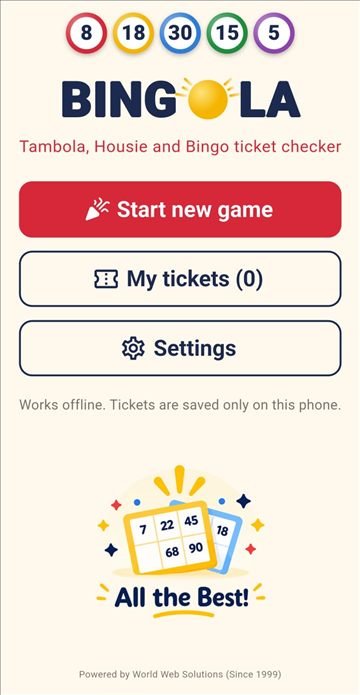
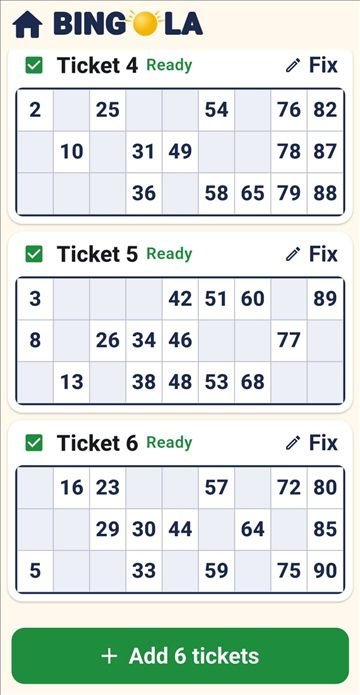
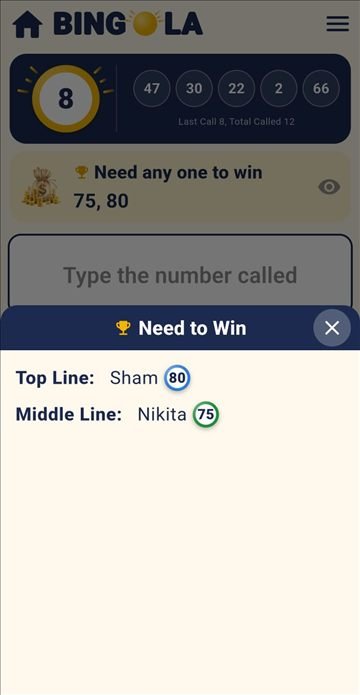
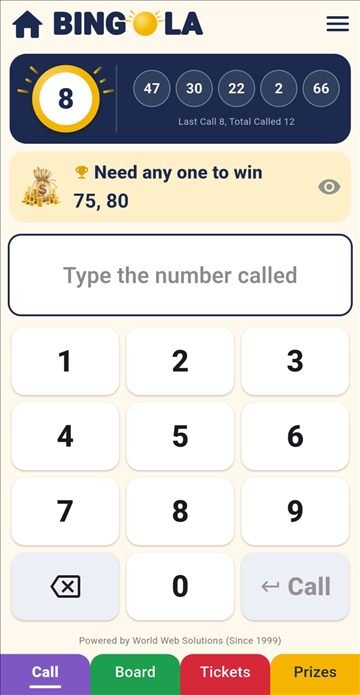
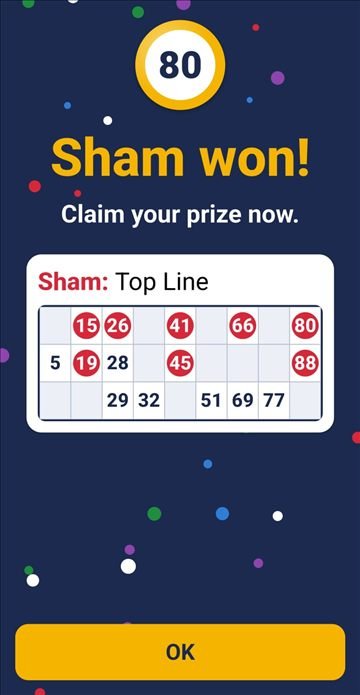
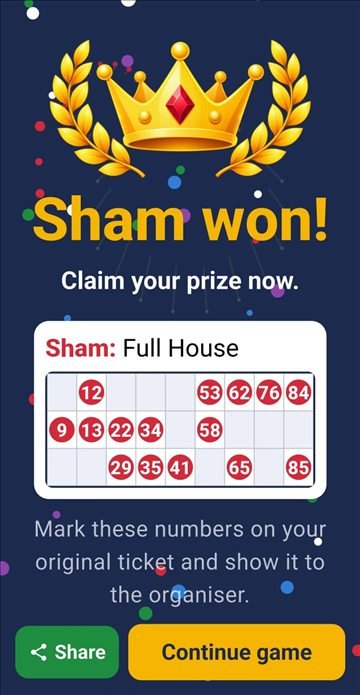
Swipe to see more. Tap a screen to see it bigger.
Why players like it
- Play for your family and friends on one phone
- Walk around and enjoy the party, Bingola watches your tickets
- "Need to Win" shows which number each ticket is waiting for
- Pictures explain how every prize is won
- Big buttons and clear numbers, easy for all ages
- Your tickets stay only on your phone
Common questions
Tap a question to open it.
About Bingola
What is Bingola?
Bingola checks your printed Tambola, Housie or Bingo tickets for you. You type each number as it is called, and Bingola marks it on all your tickets, alerts you when a ticket needs only one more number, and tells you when you win.
Does Bingola sell tickets or run games?
No. Buy your tickets from your club or organiser as usual. Bingola only helps you check them.
Does Bingola call the numbers?
No. Bingola is a ticket checker, not a number caller. The organiser calls the numbers, and you type each one into Bingola.
Can I use it for any Tambola, Housie or Bingo game?
Yes, for games with the usual 90-number tickets (3 rows, 9 columns, 15 numbers). In Settings, choose Tambola / Housie or UK Bingo for the right prize names.
Do I need an account or internet?
No account and no sign up. You need internet only to download Bingola from the Play Store. After that, it works fully offline.
Tickets
How do I add my tickets?
You can simply scan your tickets with the camera, or type the numbers yourself. Tap Add ticket, then Scan to take a photo, or type each number with the number pad. To try the app first, use Demo Game in the Menu.
How many tickets can I add?
Up to 144 tickets, so you can play for your family and friends on one phone.
Can I add more tickets in the middle of a game?
Yes. Open the Tickets tab and tap Add more. Bingola marks all the numbers already called on the new ticket straight away.
Can I change or remove a ticket?
Before the game starts, open My tickets: the pencil changes a ticket and the bin removes it. During a game, the pencil changes only the ticket's name.
Scanning
How do I scan and save my tickets?
Tap Scan on the Add ticket page. Keep the tickets flat in good light and take a close photo of up to 6 tickets in one column. Check every number, then save.
Why is Bingola unable to read my ticket?
Usually the photo is too far away, blurred, dark or at an angle. Move closer, hold the phone straight above the tickets, and scan fewer tickets at a time.
Some numbers are missing or wrong after scanning. What do I do?
Tap the pencil icon (Fix) on that ticket and type the missing or wrong numbers. The corrected ticket is ticked and added with the others. Always compare a scanned ticket with your printed ticket before you play.
Can I type my tickets instead of scanning?
Yes. Tap Add ticket and type the numbers with the big number pad.
Prizes
How do I choose the prizes for my game?
Before the game, tap the prizes announced by your organiser on the Choose prizes page. For any Early number, type it in the Type box. More games opens extra prizes.
Where can I see how each prize pattern works?
Open Choose prizes and tap the eye icon beside any prize group. A diagram shows each prize, with the required numbers highlighted in green, together with a short description of how it is won.
Someone else claimed a prize. What do I do?
On the Prizes tab, tap the red cross next to that prize. Bingola stops checking it.
During the game
Does Bingola mark called numbers on my tickets?
Yes. Type each number as it is called and tap Call. Bingola marks it on all your tickets at once.
How can I check if Bingola has crossed the number on my ticket?
Open the Tickets tab during the game. Every number already called is shown in a red circle on your tickets. The Board tab shows all the numbers called so far.
How does "Need to Win" help me?
It shows the numbers your tickets are waiting for. Tap the eye to see which ticket needs which number, for each prize.
How do I correct or delete a called number?
Tap Undo last number under the keypad. For an older number, open the Board tab and tap that number to delete it.
What if I close the app during a game?
Nothing is lost. Open Bingola again and tap Continue game.
How do I start a new game?
On the Home screen, tap Finish game, then Start new game. Add the tickets for the new game and choose its prizes.
Winning
Does Bingola confirm my prize?
No. Mark the numbers on your original ticket and show it to the organiser. The organiser's decision is final.
What if two of my tickets win the same prize?
The win screen shows every ticket that won, each with its name and prize. Show all of them to the organiser.
Your data
Is my data safe?
Yes. Bingola collects nothing. Your tickets and game are saved only on your phone.
Can I use Bingola on more than one phone?
Yes, but each phone keeps its own tickets. Tickets and games are not shared between phones.
What happens if I uninstall Bingola?
All tickets and games saved in Bingola are deleted from the phone.
Get Bingola
Bingola is coming soon to Google Play. An iPhone version is planned.